For many professionals, a typical workday still begins the same way: power on the PC, sign in to Windows, open Outlook and Excel, and start the day.
But in part of Germany, that “of course it’s Windows” assumption is being rewritten.
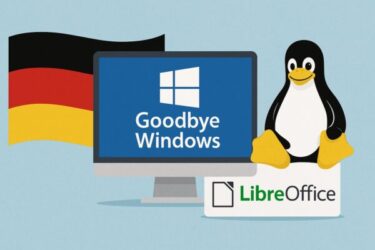
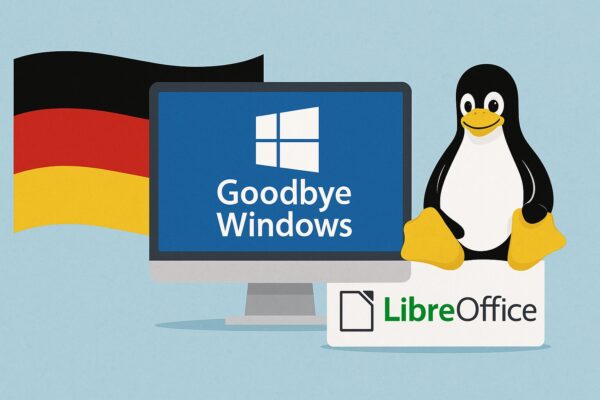
In the northern German state of Schleswig-Holstein, the local government is in the middle of a multi-year project to replace around 30,000 Windows and Microsoft Office installations with Linux and LibreOffice by 2026.
What started as a small LibreOffice pilot has now evolved into a broader digital-sovereignty program: moving away from Outlook and Office 365, adopting LibreOffice at scale, and gradually replacing services like SharePoint with open-source tools such as Nextcloud.
This isn’t just about cutting costs. It’s about who controls government data and IT strategy.
- 1 Why Is Germany Moving Away from Windows and Microsoft?
- 2 Germany’s Move Is Part of a Larger European Trend
- 3 What Changed in 2025? (Update)
- 4 Windows 10 Has Reached End of Support – Why That Matters
- 5 How Does All of This Affect Japan?
- 6 This Is Not Just About Cost — It’s About Control and Choice
- 7 Practical Tip: Experiment Safely with Linux and OSS
- 8 Conclusion: What If “Start with Windows” Was No Longer the Rule?
Why Is Germany Moving Away from Windows and Microsoft?
Germany’s shift away from Microsoft in some public-sector environments is driven mainly by three themes:
1. Digital Sovereignty and Data Protection
Across Europe, “digital sovereignty” has gone from buzzword to concrete policy. Governments want to ensure that sensitive public-sector data is stored and processed under European rules, not just under the terms of non-EU cloud providers.
Projects like Gaia-X, launched by Germany and France and now coordinated at EU level, aim to build a federated European data infrastructure where data can be shared securely and transparently, while data owners retain control and can revoke access at any time.
For German policymakers, relying heavily on a few non-EU vendors for operating systems, productivity suites, and cloud platforms is seen as a strategic risk. Open-source software (OSS) lets them:
- Inspect and audit code more easily
- Host critical services on infrastructure they control
- Avoid sudden license or policy changes they can’t influence
2. Rising Licensing and Subscription Costs
Over the past few years, Microsoft 365 and Windows licensing costs have steadily increased, especially as more features move to a subscription-only model. For a government with tens of thousands of seats, small price changes scale into millions of euros over time.
By contrast, Linux, LibreOffice, and other OSS tools have:
- No per-seat license fee
- Costs focused on support, integration, and training, rather than recurring licenses
- More predictable long-term budgeting
Germany’s Schleswig-Holstein government has been explicit: they expect long-term savings by switching to open source, once migration and training costs are absorbed.
3. Avoiding Vendor Lock-In and Gaining Technical Flexibility
With OSS, public institutions can:
- Customize systems to match their workflows
- Integrate with other open-standards-based systems more easily
- Avoid dependency on one vendor’s roadmap or product changes
At the federal level, Germany has also launched a government cloud initiative built around open standards to strengthen digital sovereignty across public administration, again emphasizing interoperability and control rather than dependence on a single vendor.
Germany’s Move Is Part of a Larger European Trend
Schleswig-Holstein is not an isolated experiment. Across Europe, open source and digital sovereignty are now mainstream topics:
- 2024–2025 has been called a turning point year for digital sovereignty in Europe, as regulations and geopolitical tensions push organisations to think more seriously about who controls their data and infrastructure.
- The Gaia-X ecosystem continues to expand, and was a central topic at Europe’s 2025 Digital Summit as a technical foundation for a sovereign European data infrastructure for AI and data-driven services.
- In Germany specifically, further public bodies—such as institutions in the public health sector—have started adopting open-source platforms as part of a broader digital-sovereignty agenda.
In short: Germany’s move away from Windows is one visible example of a deeper structural shift in Europe toward open standards, open source, and more control over critical digital infrastructure.
What Changed in 2025? (Update)
Since this article was originally written, several important things have happened:
- Schleswig-Holstein progressed to the next phases of its migration:
- LibreOffice deployment has expanded beyond the initial pilot.
- Outlook and Exchange use is being reduced in favor of open-source solutions.
- SharePoint is being replaced step-by-step with Nextcloud and other OSS tools.
- Germany launched and refined its federal government cloud, explicitly framed as an instrument to “permanently strengthen digital sovereignty” for public administration through open standards.
- Across the EU, Gaia-X shifted from concept to real infrastructure and trust frameworks, giving European CIOs a concrete way to implement sovereignty and interoperability in cloud and AI projects.
At the same time, Microsoft’s own roadmap has continued to push cloud-first, AI-integrated Windows 11 and Microsoft 365, which reinforces subscription and vendor lock-in concerns for some public bodies.
Windows 10 Has Reached End of Support – Why That Matters
As of October 14, 2025, Windows 10 is officially out of support. Microsoft no longer provides regular security updates or technical support for Windows 10 PCs.
Microsoft 365 apps (Word, Excel, Outlook, etc.) on Windows 10 are also no longer supported after the same date, which means organisations that continue using them may face compatibility and security risks over time.The Verge
However, that doesn’t mean Windows 10 disappeared overnight:
- Microsoft offers Extended Security Updates (ESU) for a fee (and in some regions, limited time free options), allowing organisations to keep Windows 10 with critical patches for a few more years.
- Industry reports suggest that hundreds of millions of PCs worldwide are still running Windows 10, with many of them technically capable of upgrading but not yet migrated to Windows 11.
This creates pressure—especially in the public sector—to decide:
- Upgrade hardware and licenses for Windows 11?
- Purchase ESU for Windows 10 and delay the decision?
- Or use the opportunity to explore alternatives, such as Linux on certain roles or devices?
Germany’s open-source push is one way of answering that question.
How Does All of This Affect Japan?
Japan’s situation is different from Germany’s, but the questions behind the shift are similar.
1. Heavy Reliance on Windows and Microsoft 365
Japanese companies—particularly small and mid-sized enterprises (SMEs)—are deeply tied to:
- Windows 10/11
- Microsoft 365 (Outlook, Excel, Teams, OneDrive)
For many organisations, “PC” still equals “Windows PC,” and “document” equals “Excel file.”
With Windows 10 support now ended, Japanese organisations face the same three choices:
- Upgrade PCs and OS to Windows 11 (plus Microsoft 365 subscriptions)
- Pay for Extended Security Updates and postpone the migration
- Start experimenting with open-source alternatives where it makes sense
Because Windows 11 has stricter hardware requirements, a simple “in-place upgrade” isn’t always possible. For devices that fail compatibility checks, it may be cheaper to repurpose them with Linux as thin clients, kiosks, or dedicated terminals, instead of buying new hardware for every user.
2. Government and Education: Slow but Growing Interest in OSS
Japan’s digital-reform initiatives (自治体DX・デジタル庁の取り組みなど) encourage local governments to:
- Standardise systems
- Reduce vendor dependence
- Use open standards and interoperable platforms
Some local administrations and schools have tried:
- Web-based groupware and workflow systems
- Lightweight Linux or browser-centric environments in specific offices
- Open-source tools like Pleasanter, a Japanese no-code/low-code OSS platform for workflows and business apps.
While these pilots are still small compared to Germany’s large-scale migration, they show that “all-Windows-everywhere” is no longer the only option.
3. Opportunities for Young Engineers and IT Departments
Germany’s move is also a career signal:
- Public institutions need Linux, container, and OSS-stack skills
- Organisations want engineers who can integrate Nextcloud, LibreOffice, PostgreSQL, and other OSS into secure, compliant environments
- Understanding Gaia-X-style architectures and “data sovereignty by design” will become valuable, even outside Europe
For Japan, this means:
- Young engineers who can move comfortably between Windows and OSS ecosystems will have more options.
- IT departments that currently only “follow the Microsoft roadmap” may need to evaluate hybrid strategies: some Windows 11, some Linux, some browser-based systems.
This Is Not Just About Cost — It’s About Control and Choice
Japan’s current situation is similar to where much of Europe was a few years ago:
- Microsoft products are the default in offices and schools.
- Subscription and license models keep tightening.
- Cloud and AI services are becoming more deeply integrated into OS and collaboration tools.
Germany’s example highlights a different path:
- You don’t have to ban Windows or Microsoft 365.
- But you can deliberately choose where you use them—and where you prefer OSS, self-hosted platforms, or European/Japanese alternatives.
Real digital sovereignty means:
- You can move your data and workflows if a vendor changes prices or terms.
- You’re not forced into an upgrade cycle just because support ends.
- Your government and companies keep control over how critical systems evolve.
Practical Tip: Experiment Safely with Linux and OSS
If you’re curious about trying Linux or open-source tools in your own environment, it’s safest to:
- Start in a separate environment
- A second PC
- Or an external SSD or USB stick with a portable Linux install
- Test your daily workflows
- Email and calendar
- Office documents (LibreOffice vs. Office files)
- VPN, remote access, line-of-business apps
- Introduce OSS gradually
- Begin with server or back-office roles
- Use web-based workflow tools like Pleasanter or Nextcloud for new projects
- Keep critical, hard-to-migrate apps on Windows for now
For that kind of testing, having a spare SSD or USB you can dedicate to Linux is very convenient:
Conclusion: What If “Start with Windows” Was No Longer the Rule?
Cloud, remote work, and now AI PCs were once niche topics. Today they’re standard.
In the same way, moving key workloads to open-source platforms may feel niche now—but Germany’s public sector shows that at national scale, it’s a realistic option.
With Windows 10 support already ended and hundreds of millions of PCs worldwide facing upgrade decisions, this is a perfect moment to ask:
“Do we really have to start with Windows?”
For some tasks, the answer will still be yes—Windows and Microsoft 365 remain powerful, mature platforms.
But Germany’s shift sends a clear message, including to Japan:
The important question is no longer “Should we leave Windows completely?”
It’s “Where can we gain something—control, cost savings, sovereignty—by not assuming Windows is the only choice?”
💡 Looking for more tips? Check out our full list of Windows Help Guides.