Microsoft’s desktop OS tends to get most of the attention, but in 2025 there’s another major release on the horizon—Windows Server 2025.
Still in Insider Preview at the time of writing, Server 2025 is shaping up to be one of the most substantial updates since Server 2016. With deeper security hardening, improved virtualization, and stronger hybrid-cloud alignment, it’s already clear that this release is more than a routine update.
In this guide, we break down the key new features, compare them to Windows Server 2022, and help you evaluate whether—and when—your organization should consider migrating.
What Is Windows Server 2025?
Windows Server 2025—currently available in the Windows Insider Program under the code name “vNext”—is Microsoft’s upcoming long-term evolution of its server platform.
Although Microsoft has not announced a final release date yet, industry patterns suggest a late-2025 launch, continuing the three-year cadence seen in previous Server releases:
| Product | Release | End of Extended Support |
|---|---|---|
| Windows Server 2016 | Oct 2016 | Jan 2027 |
| Windows Server 2019 | Nov 2018 | Jan 2029 |
| Windows Server 2022 | Aug 2021 | Oct 2031 |
| Windows Server 2025 (expected) | Late 2025 | Around 2035 |
Windows Server 2022 remains fully supported until 2031, but Server 2025 represents a major shift toward modernized, cloud-ready, security-first infrastructure designed for the next decade.
What’s New in Windows Server 2025?
Built on the Windows 11 24H2 Platform
Server 2025 is based on the same core as Windows 11 24H2, moving away from the Windows 10-era foundation that Server 2022 uses.
This enables more efficient scheduling, memory management, hardware acceleration, and security enforcement.
Stronger Security by Default
● Expanded Credential Guard
More comprehensive protection against credential theft, including LSASS isolation.
● Secured-Core Server (broader adoption)
Hardware-backed security—TPM attestation, driver protection, memory integrity, and firmware safeguards—will be more widely expected, not optional.
● TPM 2.0 and Secure Boot
These requirements mirror modern enterprise security compliance frameworks such as Zero Trust and NIST recommendations.
Network & SMB Improvements
● SMB over QUIC (mature implementation)
Better performance, automatic failover, and improved remote file-sharing security without requiring VPN tunnels.
● TLS 1.3 default
Strengthens encrypted communication and aligns with modern security standards.
Virtualization and Container Enhancements
● Hyper-V improvements:
Enhanced nested virtualization, virtual TPM support, and improved VM isolation.
● Early WSL integration:
Useful for hybrid Linux/Windows workflows or DevOps environments.
● Azure hybrid improvements:
More seamless pairing with Azure Stack HCI and cloud-managed infrastructure.
Windows Server 2022 vs 2025 Comparison Table
| Feature Category | Server 2022 | Server 2025 (expected) |
|---|---|---|
| Base OS | Windows 10 (21H2) | Windows 11 (24H2) |
| Security | Partial Credential Guard | Expanded Credential Guard, Secured-Core default |
| SMB Protocol | SMB over QUIC (early support) | Improved, stable SMB over QUIC |
| Virtualization | Standard Hyper-V | Improved nested VM support, virtual TPM |
| Cloud Integration | Azure Stack HCI (optional) | Deeper hybrid capabilities with Azure |
| Interface | Legacy Server Manager UI | Updated GUI with modern management features |
This comparison highlights how Server 2025 is more than a routine upgrade—it’s an evolution toward secure, hybrid-native infrastructure built for the next decade.
Who Should Consider Migrating?
Upgrading immediately isn’t necessary for every environment. But depending on your roadmap, early evaluation can prevent future technical debt.
Recommended for organizations that:
- Plan infrastructure refreshes in 2026–2027
- Depend heavily on hybrid or cloud workloads
- Must meet strict compliance or Zero Trust mandates
- Use virtualization or containerized systems extensively
Migration can wait if:
- Your Server 2022 environment is stable
- You have legacy line-of-business apps with strict dependencies
- IT resources are limited during the 2025–2026 cycle
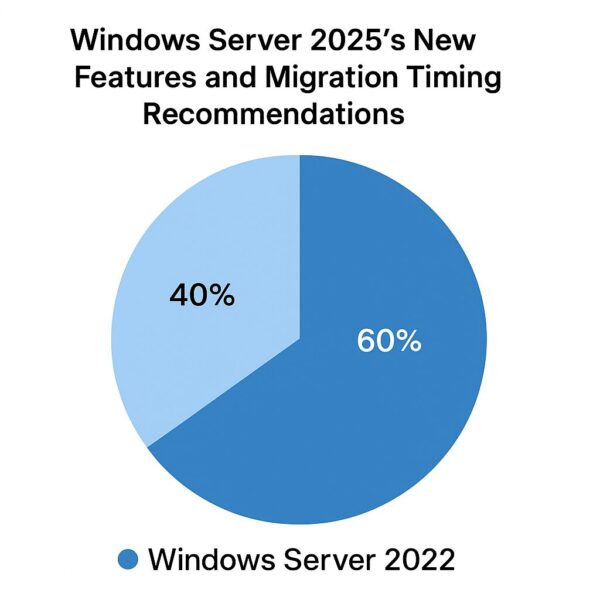
Recommended Migration Timeline (with Use Case)
| Migration Timing | Best For |
|---|---|
| Late 2025 – Early 2026 | Early adopters, new deployments, cloud-focused businesses |
| Mid 2026 | Organizations seeking stability and proven ecosystem support |
| 2027 or later | Conservative enterprises or those needing extended planning |
Remember: It’s often wise to wait for LTS (Long-Term Support) stability and broad driver compatibility before full-scale rollout.
Final Thoughts: Now Is the Time to Learn, Not Rush
Windows Server 2025 marks a strategic milestone in Microsoft’s server roadmap. It pushes the platform toward a more secure, cloud-integrated, and future-ready architecture.
Whether you choose to migrate early or continue running Server 2022 for several more years, staying informed will help you plan hardware refresh cycles, compliance strategies, and hybrid-cloud adoption more effectively.
Instead of rushing into deployment, this is the ideal moment to:
- Assess modernization needs
- Identify which workloads benefit from hybrid/cloud migration
- Evaluate new security requirements
- Prepare staff for updated management and tooling changes
With thoughtful planning, your transition—whenever it happens—will be smooth, supported, and aligned with your organization’s long-term goals.
💡 Looking for more tips? Check out our full list of Windows Help Guides.