- 2026-01-19
【保存版】Outlookでエラー「0x8004010F」が出て送受信できない時の原因と解決方法|移行直後のトラブル
はじめに Outlookでメールを送受信しようとしたときに、 「0x8004010F:Outlook データ ファイルにアクセスできません」 「操作に失敗しました。オブジェクトが見つかりません」 といったメッセージが表示されることがあります。 このエ […]

はじめに Outlookでメールを送受信しようとしたときに、 「0x8004010F:Outlook データ ファイルにアクセスできません」 「操作に失敗しました。オブジェクトが見つかりません」 といったメッセージが表示されることがあります。 このエ […]

「古いPCを廃棄して新しいPCに買い替えたら、Excelファイルが開けない」「Officeが入っていない」「書式が崩れた」「マクロが動かない」――こうしたトラブルは非常によくあります。 実は、これらの問題の多くは旧PCがまだ動くうちに準備しておけば防 […]
パソコンの中には、仕事の書類、家族写真、IDやパスワードなど、個人情報の宝庫とも言えるデータが詰まっています。 これを完全に消去せずに廃棄すると、第三者に悪用される可能性があります。 企業の場合は特に、顧客情報や社内資料の流出が大きな損害を招くため、 […]
はじめに AIを活用したサイバーセキュリティは、これまで企業や官公庁向けの高価なソリューションが中心でした。 しかし近年は、クラウドやエッジAIの進化によって個人でも手の届く価格・性能のAIセキュリティが登場し始めています。 なぜ今、個人にもAIセキ […]

After installing Windows 11 update KB5063878, did your PC start acting strangely? Maybe you noticed: Don’t worry. Most […]
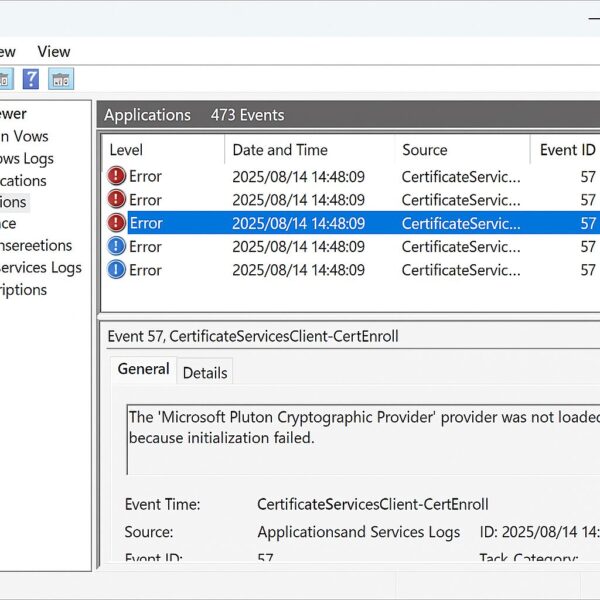
※本件は主に Windows 11 23H2 および 24H2 環境で報告が目立ちましたが、OSの破損やセキュリティリスクではありません。 Windows 11でイベントビューアーに「CertificateServicesClient-CertEnr […]

AIサイバーセキュリティとは? AIサイバーセキュリティとは、人工知能(AI)を活用してサイバー攻撃を防御する技術や仕組み、そしてAIそのものを攻撃や悪用から守る分野のことです。 従来のサイバーセキュリティは、人間がパターンを分析して対策ルールを作る […]

はじめに:AIエージェントとは? 「AIが自分で考えて、作業を進める」 そんな未来感あふれる機能が、今やWindowsでも使えるようになってきています。 海外ではこの仕組みをAgentic AI(エージェント型AI)と呼び、単なるチャットAIや検索ア […]
1. Introduction: What Is Agentic AI? Artificial Intelligence has already changed how we search, write, and create—but Agentic […]
As of May 2026, normal support for Windows 10 has already ended. Many users are still using Windows 10 PCs, especially older […]