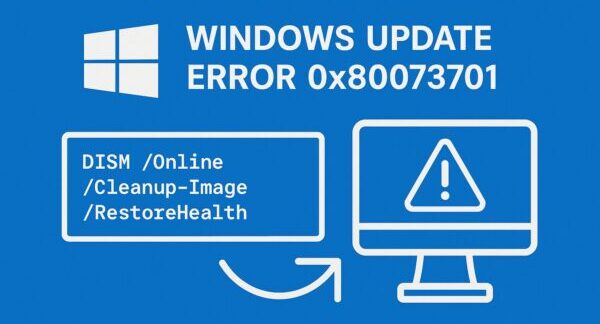
Are you seeing this error during Windows Update?
0x80073701 – ERROR_SXS_ASSEMBLY_MISSING
This issue has affected Windows users for years—and it still appears today, especially after major updates like Windows 11 feature upgrades.
The good news is:
👉 You can fix it in most cases without reinstalling Windows.
In this guide, you’ll learn:
- What error 0x80073701 actually means
- Why it happens
- Step-by-step fixes (from easiest to advanced)
- What to do if nothing works
🔍 What Is Error 0x80073701?
Error 0x80073701 is related to the Windows Component Store (WinSxS).
This system manages:
- Core Windows files
- DLLs and dependencies
- Update packages
If something is:
- Missing
- Corrupted
- Inconsistent
👉 Windows Update cannot complete, and this error appears.
⚠️ Common Causes
This error is usually triggered by one or more of the following:
- Interrupted or failed previous updates
- Corrupted system files
- Disk or file system errors
- Driver conflicts (especially GPU or chipset)
- Antivirus interference
- Broken update components
👉 In short:
Something in Windows’ “internal structure” is damaged.
🛠️ Fix Error 0x80073701 (Try in Order)
Follow these steps one by one. Most users fix the issue within the first few steps.
✔ Fix 1: Restart Your PC
Simple—but surprisingly effective.
- Clears temporary update locks
- Restarts stuck services
👉 Always try this first.
✔ Fix 2: Run DISM and SFC (Most Important)
This is the core fix.
Open Windows Terminal (Admin) and run:
DISM /Online /Cleanup-Image /RestoreHealth
sfc /scannow
What they do:
- DISM → Repairs the Windows image
- SFC → Fixes corrupted system files
👉 Restart your PC after running both.
✔ Fix 3: Run Windows Update Troubleshooter
- Settings → System → Troubleshoot
- Open Other troubleshooters
- Run Windows Update
This tool automatically fixes common update issues.
✔ Fix 4: Check Disk for Errors
Corrupted disk sectors can break updates.
Run:
chkdsk C: /f /r
👉 You’ll need to restart your PC to complete this.
✔ Fix 5: Install the Update Manually
If automatic update fails:
- Go to Settings → Update history
- Note the failed KB number
- Search: Microsoft Update Catalog + KB number
- Download and install manually
👉 This often bypasses internal update issues.
✔ Fix 6: Reset Windows Update Components
If updates keep failing:
Open Command Prompt (Admin) and run:
net stop wuauserv
net stop bits
net stop cryptsvc
net stop trustedinstallerren C:\Windows\SoftwareDistribution SoftwareDistribution.old
ren C:\Windows\System32\catroot2 catroot2.oldnet start wuauserv
net start bits
net start cryptsvc
net start trustedinstaller
👉 This resets the update system completely.
✔ Fix 7: Temporarily Disable Antivirus
Some security software blocks updates.
Try:
- Disable antivirus temporarily
- Retry Windows Update
👉 Especially important for third-party tools like Avast or McAfee.
✔ Fix 8: In-Place Repair (Last Resort)
If nothing works:
- Download Windows installation media
- Run setup
- Choose Keep files and apps
👉 This reinstalls Windows without deleting your data.
🧠 Advanced Fixes (Optional)
For deeper troubleshooting:
- Check log file: C:\Windows\Logs\CBS\CBS.log
- Look for: ERROR_SXS_ASSEMBLY_MISSING
You can also clean the component store:
Dism.exe /online /Cleanup-Image /StartComponentCleanup
📊 Quick Cause & Fix Table
| Cause | Fix |
|---|---|
| System corruption | DISM + SFC |
| Disk errors | chkdsk |
| Update failure loop | Reset update components |
| Driver conflicts | Update drivers |
| Antivirus blocking | Disable temporarily |
❓ FAQ
Q1. Can I ignore this error?
👉 Not recommended.
You may miss important security updates.
Q2. Is this error dangerous?
👉 Not directly.
But it prevents updates, which can make your system vulnerable.
Q3. Will I lose data fixing this?
👉 No, not with standard fixes.
Only advanced repair installs require caution (but still keep files).
🧾 Final Thoughts
Error 0x80073701 looks serious—but in most cases:
👉 It’s fixable with standard repair tools.
Start with:
- Restart
- DISM + SFC
- Troubleshooter
Then move to advanced steps if needed.
✅ For more troubleshooting guides, check out: