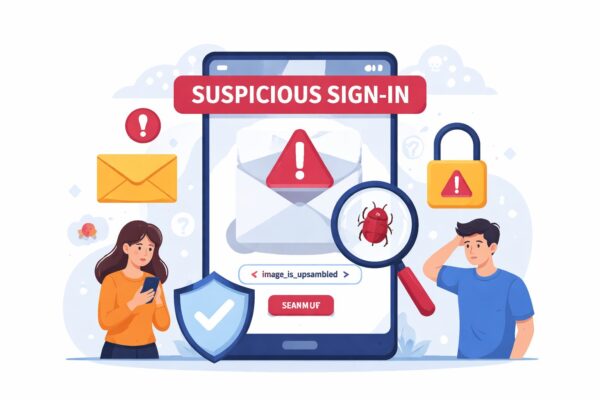
If you received a “Microsoft suspicious sign-in alert,” it can be alarming.
You might be wondering:
- Is this a real warning from Microsoft?
- Or is it a phishing scam?
👉 Here’s the truth:
Both real alerts and fake emails exist—and they often look very similar.
This guide will help you quickly tell the difference and show you exactly what to do.
Quick Answer (Read First)
👉 Microsoft does send real suspicious sign-in alerts.
However:
👉 Scammers also send fake emails that look almost identical.
⚠️ Never click links directly from the email. Always verify from the official website.
Why Did You Receive This Alert?
Microsoft sends alerts when it detects unusual activity on your account, such as:
- Sign-in from a new location or country
- Login from an unfamiliar device
- Multiple failed login attempts
This is a normal security feature designed to protect your account.
Real vs Fake Microsoft Alerts
Use this table to quickly check:
| Real Microsoft Alert | Fake (Phishing) Alert |
|---|---|
| Sent from official Microsoft domain | Strange or misspelled email address |
| No pressure or threats | Urgent message like “Act now!” |
| Links to official Microsoft pages | Suspicious or shortened links |
| Activity visible in your account | No matching activity found |
👉 If something feels off, treat it as suspicious.
What You Should Do (Important)
1. Do NOT click links in the email
Even if it looks real, avoid clicking.
2. Go directly to Microsoft
👉 https://account.microsoft.com/security
Sign in manually and check your recent activity.
3. Check your account activity
- Look for unfamiliar locations or devices
- Confirm whether the alert is legitimate
4. If you see suspicious activity
Take action immediately:
- Change your password
- Enable two-factor authentication (2FA)
- Sign out of all devices
What If You Already Clicked the Link?
Don’t panic—act quickly:
- Change your Microsoft password immediately
- Turn on two-step verification
- Run a security scan on your device
👉 Acting fast can prevent further damage.
Common Questions
Is this alert always real?
No. Both real and fake alerts exist, so verification is essential.
Can Microsoft block my account automatically?
Yes, if suspicious activity is detected. This is for your protection.
Why did I get this alert without doing anything?
It may be caused by:
- VPN usage
- Traveling
- Automatic login attempts
Is it safe to ignore the alert?
No. You should always verify it—even if it turns out to be harmless.
How to Prevent This in the Future
- Use a strong, unique password
- Enable two-factor authentication
- Avoid clicking links in emails
- Regularly review account activity
Conclusion
A Microsoft suspicious sign-in alert can be real—or it could be a scam.
👉 The safest approach is simple:
Always verify directly from the official Microsoft website.
Taking a few seconds to check can protect your account and personal data.
✔️ You might also like:
▶︎ How to Disable or Remap the CapsLock Key on Windows
▶︎ Windows Update Error 0x80073701 – Missing Files? Fix It Like a Pro
▶︎ Why Does My Laptop Battery Drain So Much in Sleep Mode? Real Fixes