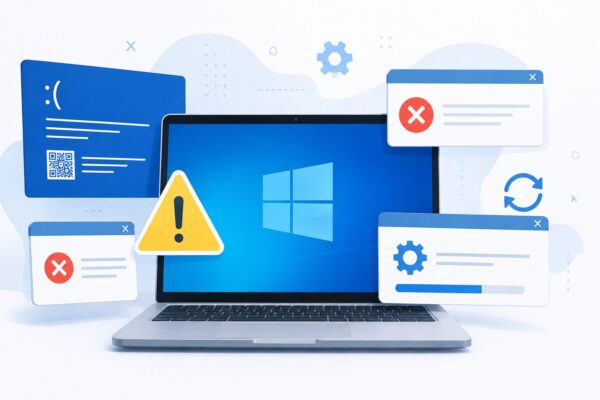
Looking for a Windows error code like 0x80070057, 0xc000000f, or a Windows Update ID such as KB5101650?
You’ve come to the right place. Windows often displays cryptic error codes without explaining what they mean or how to fix them, making even simple problems frustrating to troubleshoot.
This page is your complete Windows Error Code Index for 2026, covering many of the most common errors reported by Windows 11 and Windows 10 users. Whether you’re dealing with Windows Update failures, boot problems, Blue Screen of Death(BSOD) errors, or installation issues, you’ll find quick explanations and links to detailed step-by-step guides.
Each entry includes:
- A plain-English explanation of the error
- The most common causes
- Recommended troubleshooting steps
- A link to a detailed solution guide with screenshots
We regularly update this page to include newly reported Windows error codes and the latest Windows Update issues, making it a helpful resource to bookmark whenever a new problem appears.
- 1 Common Windows Error Codes and Their Solutions
- 2 New Windows Error Codes Added for 2026
- 3 Complete List of Windows Error Codes
- 4 Why Windows Error Codes Matter
- 5 Can’t Find Your Windows Error Code?
- 6 How We Keep This Guide Updated
- 7 Recommended Windows Troubleshooting Guides
- 8 Frequently Asked Questions
- 9 Conclusion
Common Windows Error Codes and Their Solutions
Windows can display hundreds of different error codes, but many of them are caused by a relatively small number of common issues. These include failed Windows updates, damaged system files, incompatible drivers, boot configuration problems, and hardware-related errors.
This page brings together many of the Windows error codes that users encounter most frequently. Each code links to a dedicated troubleshooting guide with detailed explanations, step-by-step instructions, and practical solutions.
The table below helps you quickly identify:
- The exact error code displayed on your screen
- What the error usually means
- The recommended first troubleshooting step
- A link to a complete solution guide
If you’re unsure where to begin, simply locate the error code shown on your PC and follow the corresponding guide. Many Windows problems can be resolved without reinstalling the operating system or losing your personal files.
Understanding Windows Error Codes
Windows uses different types of codes to identify specific problems. While these codes may look confusing at first, they can provide valuable clues about what’s causing the issue.
The most common categories include:
- 0x Error Codes
These hexadecimal codes usually indicate system-level problems, such as Windows Update failures, corrupted files, installation errors, or hardware issues. - 0xc Error Codes
These errors are often related to boot failures, missing system files, or problems with the Windows Boot Configuration Data (BCD). - Blue Screen (BSOD) Stop Codes
Examples include0x00000133and other stop codes that appear when Windows encounters a critical system failure. - KB Update Numbers
Codes beginning withKBrefer to Microsoft Knowledge Base updates. While they are not errors themselves, installation failures involving these updates often generate additional Windows error codes.
Understanding which category your code belongs to makes troubleshooting much easier and helps you choose the most effective solution.
How to Use This Error Code Index
Finding the right solution is easy. Simply follow these steps:
- Locate the exact error code displayed on your screen (for example,
0x80070057,0xc1900101, orKB5101650). - Search this page by scrolling through the table or using your browser’s search function (Ctrl + F on Windows or Cmd + F on Mac).
- Open the matching guide by clicking the error code. Each guide contains detailed explanations, screenshots, and step-by-step instructions.
- Follow the recommended fixes, starting with the simplest solutions before moving on to advanced troubleshooting methods.
If you can’t find your error code today, don’t worry. We update this page regularly as Microsoft releases new Windows updates and additional error codes become more widely reported.
New Windows Error Codes Added for 2026
Microsoft releases new cumulative updates and security patches every month. As Windows evolves, new error codes and update-related issues continue to appear.
To help you stay up to date, we regularly expand this index with newly reported Windows Update errors, installation failures, boot issues, and Blue Screen (BSOD) stop codes.
Some of the latest additions include issues related to Windows 11 version 24H2 and recent cumulative updates released throughout 2026.
Be sure to bookmark this page and check back whenever a new Windows update introduces an unfamiliar error code.
Complete List of Windows Error Codes
The table below contains many of the Windows error codes that users encounter most frequently. Whether you’re facing a Windows Update error, a startup problem, or a Blue Screen of Death (BSOD), you can quickly find the corresponding guide here.
For each error code, we’ve included:
- A brief explanation of what the error means
- The most likely cause
- A recommended first troubleshooting step
- A link to a detailed guide with screenshots and step-by-step instructions
Click any error code in the table below to open its dedicated troubleshooting guide.
💡 Tip: If you’re using a desktop browser, press Ctrl + F (Windows) or Cmd + F (Mac) to quickly search for a specific error code.
| Error Code | Issue | Common Cause | Recommended First Step |
|---|---|---|---|
| 0xc000000e | Windows won’t boot | Missing or damaged Boot Configuration Data (BCD) | Run Startup Repair |
| 0x00000133 | DPC WATCHDOG VIOLATION (BSOD) | Outdated SSD or storage drivers | Update storage drivers |
| KB5012170 | BitLocker Recovery | Secure Boot update | Verify your recovery key |
| KB5007651 | Windows Security Update | Update installation loop | Restart Windows Security |
| KB5101650 | July 2026 Cumulative Update | Installation or restart issues | Retry Windows Update |
| KB5101650 (Taskbar) | Taskbar Not Responding | Explorer process failed after update | Restart Windows Explorer |
| 0x8007000d | Invalid Windows Update Data | Corrupted update files | Run DISM |
| 0x80070032 | Unsupported Request | File system mismatch | Check system files |
| 0x80070057 | Invalid Parameter | Windows Update configuration | Run Windows Update Troubleshooter |
| 0x800703f1 | Update Installation Failed | Corrupted system files | Run SFC and DISM |
| 0x800705b4 | Windows Update Timeout | Update service delay | Restart your PC |
| 0x800f020b | Driver Installation Failed | Device communication problem | Reconnect the device |
| 0x800f081f | .NET Framework Error | Missing optional components | Install .NET Framework |
| 0x800f0954 | .NET Installation Error | WSUS configuration | Review Group Policy |
| 0x8024a205 | Windows Update Error | Update service issue | Restart Windows Update service |
| 0xc000000f | Boot Device Missing | Damaged boot records | Repair BCD |
| 0xc000014c | Startup Configuration Error | Corrupted registry files | Run Startup Repair |
| 0xc000021a | Fatal System Error | System process failure | Boot into Safe Mode |
| 0xc1900101 | Upgrade Failed | Driver compatibility issue | Update or remove drivers |
| 0xc1900208 | Application Compatibility | Conflicting software | Uninstall incompatible apps |
Each guide is designed to help both beginners and experienced users resolve Windows problems quickly. Most articles include illustrated instructions, practical troubleshooting tips, and alternative solutions if the standard fixes don’t work.
If you’re not sure which solution to try first, start with the simplest steps before moving on to more advanced troubleshooting methods. In many cases, Windows update and startup errors can be resolved without reinstalling Windows or losing your personal files.
Why Windows Error Codes Matter
Although Windows error codes may seem confusing, they’re actually designed to help identify the source of a problem. Knowing the exact code can significantly reduce the time needed to find the right solution.
Instead of trying random fixes, you can search for the specific error code and follow targeted troubleshooting steps. This approach is often faster, safer, and more effective than reinstalling Windows or resetting your PC unnecessarily.
Our goal is to explain each error in plain English so that anyone—from beginners to experienced users—can understand what went wrong and how to fix it.
Can’t Find Your Windows Error Code?
Windows is constantly evolving, and Microsoft releases new updates almost every month. As a result, new error codes continue to appear alongside new features and security improvements.
If the error code you’re looking for isn’t listed yet, don’t worry. Here are a few things you can do:
- Double-check that you’ve copied the error code correctly.
- Restart your PC and see if the error appears again.
- Install any available Windows updates.
- Search this website using the exact error code.
- Visit Microsoft’s official support site for additional information.
We regularly update this page with newly reported Windows Update errors, installation issues, boot problems, and BSOD stop codes. If a new error becomes common, we’ll add it to this index as quickly as possible.
How We Keep This Guide Updated
Windows error codes change over time as Microsoft releases new cumulative updates, feature updates, and security patches. To keep this guide useful, we regularly review and expand the list with newly reported issues affecting Windows 11 and Windows 10.
Whenever a new error becomes widely reported, we aim to publish a dedicated troubleshooting guide and add it to this index. This helps ensure you always have access to the latest solutions in one convenient place.
Bookmark this page and check back whenever you encounter a new Windows error—you may find that we’ve already added a solution.
Recommended Windows Troubleshooting Guides
If you’re experiencing other Windows problems, these guides may also help. We’ve grouped them by topic so you can quickly find the right solution.
Windows Update Errors
- Windows 11 KB5101650: What’s New and How to Fix Update Problems
- Taskbar Not Working After KB5101650? Here’s How to Fix It
- KB5007651 Update Loop: Causes and Solutions
Boot & Startup Issues
Blue Screen (BSOD)
General Windows Problems
- PC Running Slow After a Windows Update?
- Fix Black Screen, Flickering, and Display Problems in Windows
Frequently Asked Questions
What is a Windows error code?
A Windows error code is a unique identifier that helps explain why a problem occurred. It can point to issues related to Windows Update, startup, drivers, hardware, or system files.
Are Windows error codes dangerous?
Not necessarily. Many Windows error codes are caused by temporary update failures or minor software issues. However, boot errors and repeated Blue Screen errors should be investigated as soon as possible.
How do I search for a Windows error code?
The easiest way is to copy the exact error code shown on your screen and search this page using your browser’s search function (Ctrl + F). You can also enter the code into this site’s search box.
Why do Windows error codes begin with “0x”?
Codes beginning with 0x are hexadecimal values used internally by Windows. They help identify the type and location of a system or update problem.
How often is this guide updated?
We regularly review and update this guide whenever Microsoft releases major Windows updates or new error codes become widely reported. Our goal is to keep this page accurate, current, and useful throughout 2026 and beyond.
Conclusion
Windows error codes may seem confusing at first, but they often provide the key to identifying and fixing a problem. Once you know what an error code means, troubleshooting becomes much easier and more efficient.
This guide is designed to serve as a central resource for Windows users by bringing together the most common error codes, clear explanations, and links to detailed step-by-step solutions. Whether you’re dealing with a Windows Update failure, a startup problem, or a Blue Screen error, we hope this page helps you find the right answer quickly.
Because Microsoft releases new updates throughout the year, we’ll continue expanding this guide with newly reported Windows error codes and troubleshooting articles. Be sure to bookmark this page and check back whenever you encounter an unfamiliar error.
Thank you for visiting Kimiyoya. We hope our Windows troubleshooting guides help you solve your problem and get your PC running smoothly again.